Language Setting


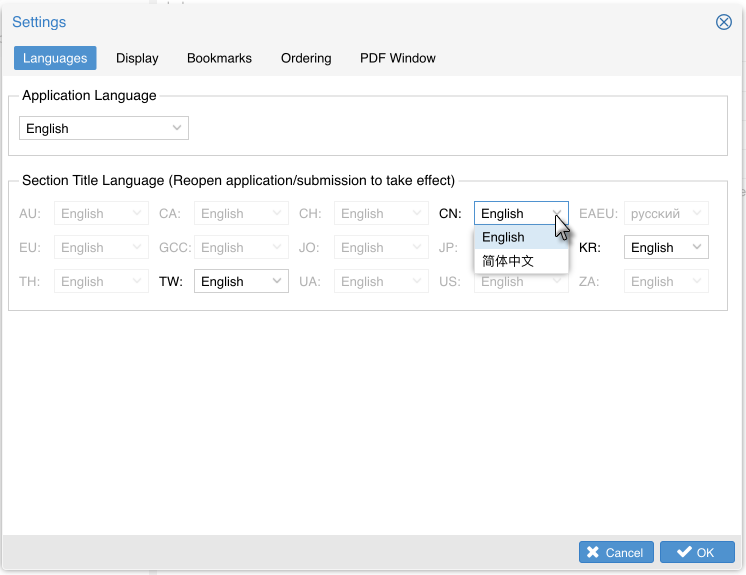
ROSETTA eCTD Viewer supports the setting of Application Language and Section Title Language via the Languages tab on Settings window.
On eCTD View window, select Languages from the menu Settings to set Application language or Section Title language.

In the Settings window, Select Languages tab, select the language from the Application Language drop-down list, click the button OK.
Currently, it only supports English. We plan to add support for additional languages in the future.

(Notes: Make sue your Operation System supports current selected language.)
ROSETTA eCTD Viewer Desktop MAC Edition supports section title language settings for Simplified Chinese (CN), Traditional Chinese (TW), and Korean (KR) eCTD applications.
In the Settings window, Select Languages tab, in the Section Title Language field, click eCTD region drop-down list to select the language, click the button OK.
The section title language setting take effects for the eCTD sections title under Navigation Pane after reopen the eCTD.