Recent eCTD List


Recent Pane locates on the Home Window. It provides the recently opened eCTDs list.
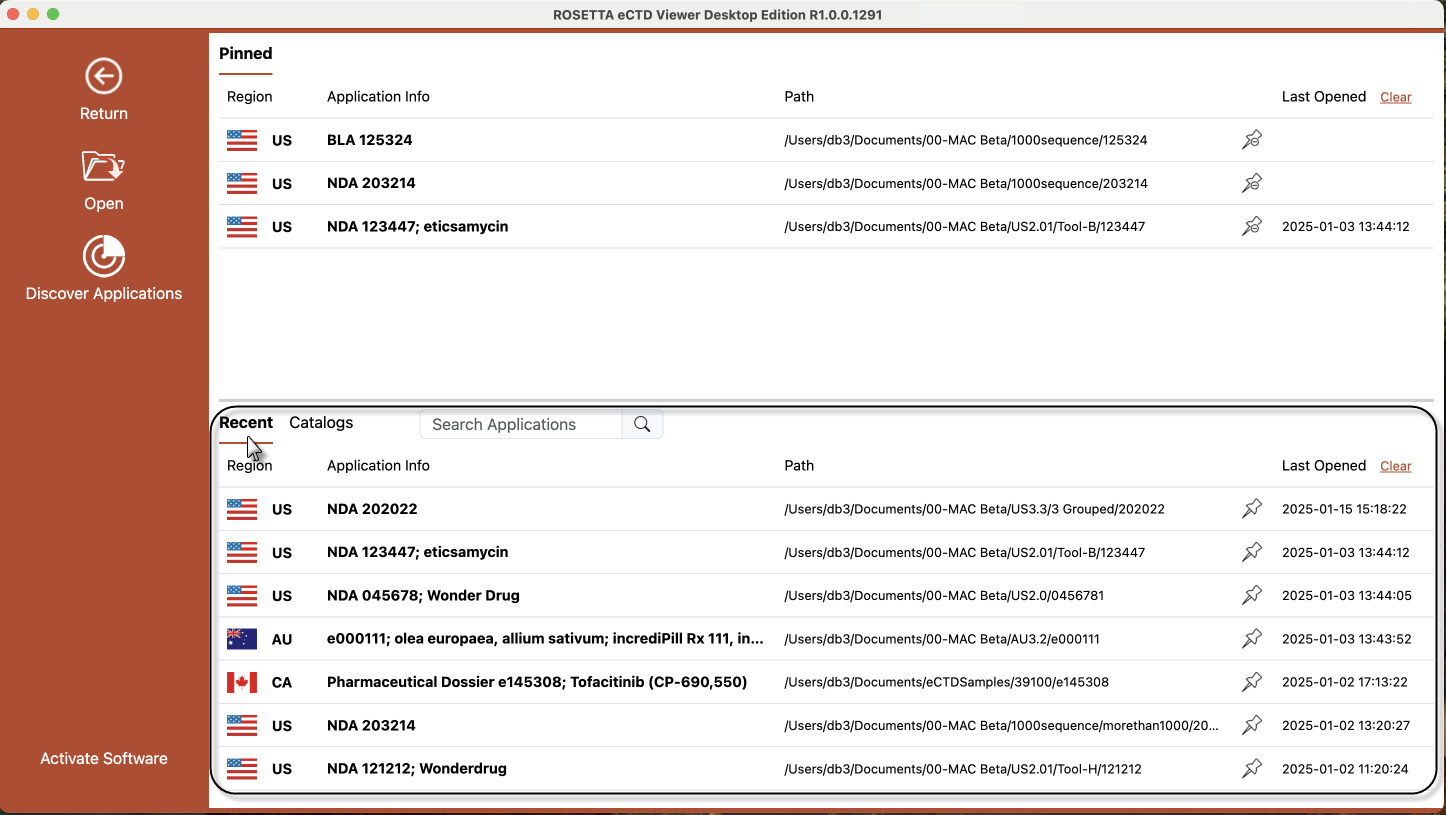
Recent Pane Description:
 : Type in keywords to search applications from the eCTDs list of Recent pane.
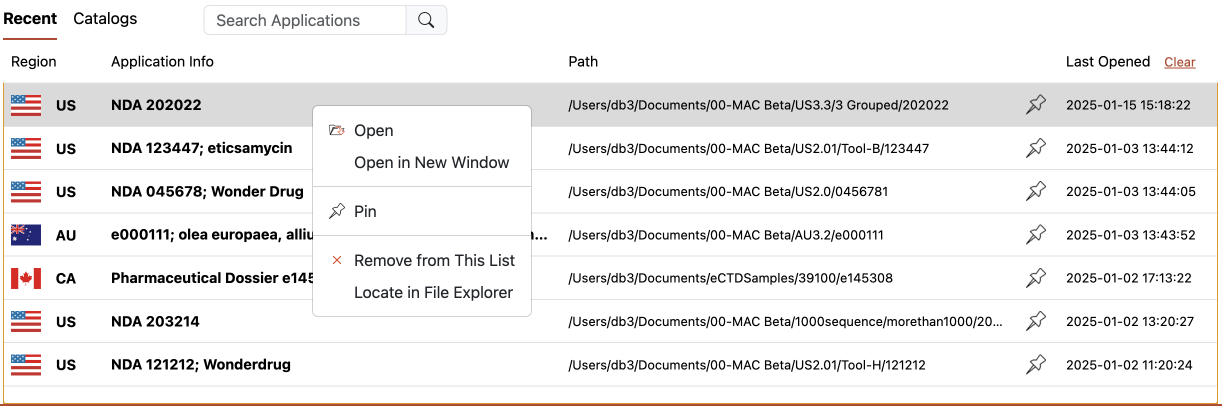
 : Right click the eCTD and select 'Open' or Double Click the eCTD : Open the select eCTD in Viewer.
 : Right click the eCTD and select 'Open in New Window' : Open the select eCTD in the new window of Viewer.
 : Right click the eCTD and select 'Pin' or Click the pin icon
 of the eCTD : Pin the select eCTD to the 'Pinned' pane.
 : Remove the selected item from the Recent List.
 : Right click the eCTD and select 'Locate in File Explorer' : Open the location of the select eCTD in the windows file explorer.
 : Click 'Clear' on the right top of the recent pane: Empty the eCTD list of Recent pane.